ACCOUNTS HUB
ACCOUNTS HUB
AccountHub - Accounts Store
New ticket / Ask a question
News, promotions, coupons, announcements are published on our news site - accountshub.news

Checking Instagram accounts information

Checking the original email address and registration date of Instagram accounts

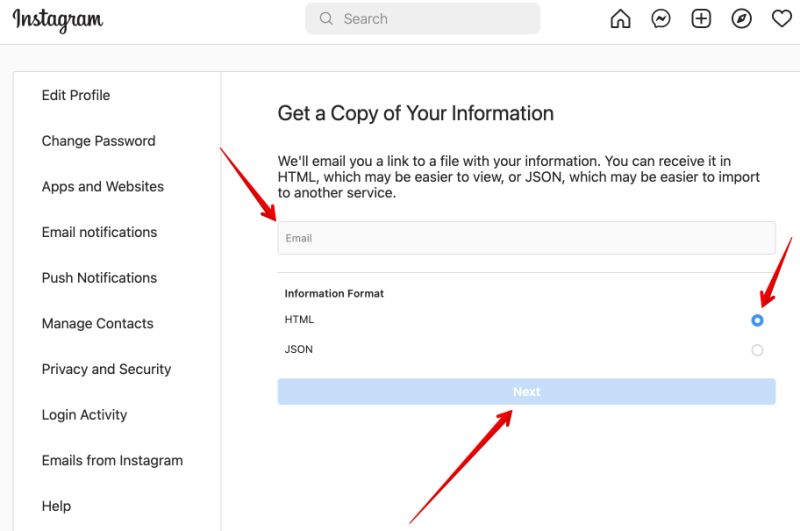
You need to be logged in to your account and follow the link https://www.instagram.com/download/request to check your email address/account registration date or other account information.

Then fill in the required fields and click the “Next” button.

Get a Copy of Your Information

Enter your account password on the next page.

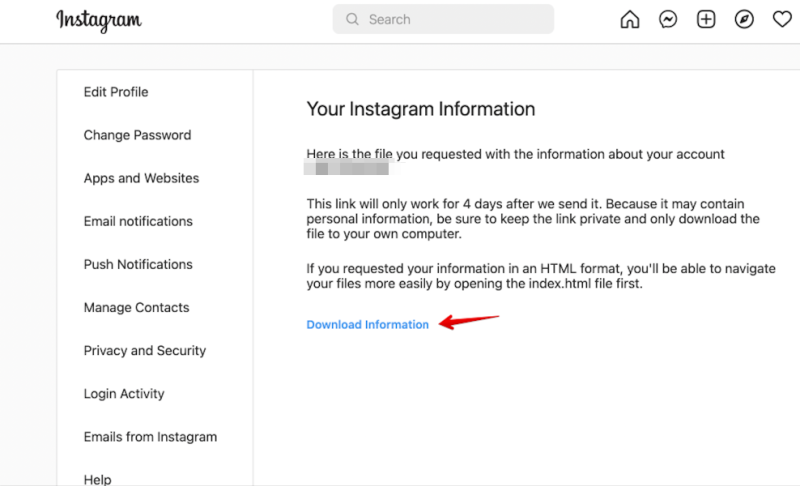
After that, you will receive a link to download your data to the specified email. Follow this link and you will be forwarded to the account menu, where the data download button is available. Download it.

Download Information

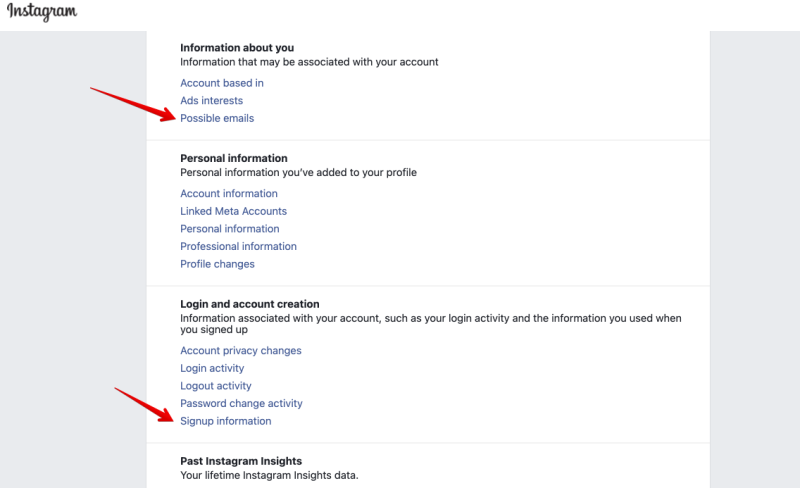
Next, unpack the downloaded archive. There is an index.html file in the archive. Open it in your browser and you will see all the information about your account.

Check information

Check the list of possible email addresses:

Customer Service Secured Platform